

Description
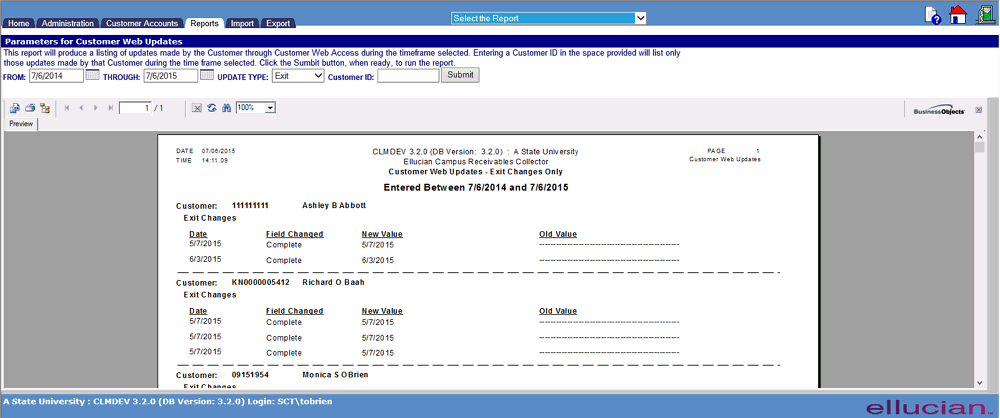
This report will produce a listing of updates made by the Customer through Customer Web Access during the timeframe selected. Entering a Customer ID in the space provided will list only those updates made by that Customer during the time frame selected. Click the Sumbit button, when ready, to run the report.
|
Field |
Description |
|
Dates |
From: Include transactions beginning on this date. May be blank to include all transactions from inception. Through: Include transactions with this date included. May be a future date if desired. Required input mm/dd/yyyy. |
|
Update Type |
All: Lists all changes of Customer demographic information or on-line interview status made during the selected date range. Address: Lists changes made in address, email, and telephone numbers. Customer: Lists changes made to Customer name or driver's license information. Exit: Lists the reason and date for status change.
|
|
Customer ID |
Enter Student number to pull report specific to one account based on selection criteria. |
©Ellucian Campus Receivables Collector Help Center