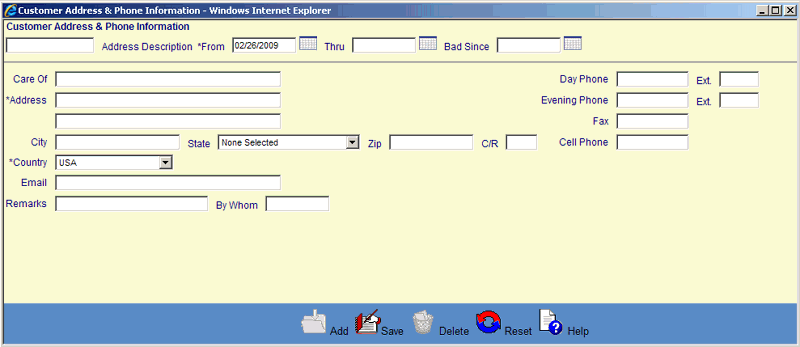
Calendar Icon
Some screens (see sample below) have date fields that are followed by a Calendar icon  that can be used to select and automatically enter a date value. Click on the Calendar icon to open the pop-up calendar, which looks like the following example:
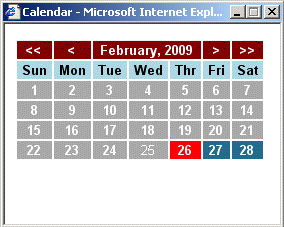
To navigate the calendar, click the forward/backward buttons located on the top bar of the calendar.
|
> |
Moves the calendar forward 1 month |
|
>> |
Moves the calendar forward 1 year |
|
< |
Moves the calendar backward 1 month |
|
<< |
Moves the calendar backward 1 year |
Select a date from the calendar by clicking on the appropriate day. The selected value is automatically entered into the date field and the pop-up calendar is closed.
©Ellucian Campus Receivables Collector Help Center